

Picking a printer looks simple until the toner bill arrives. The best Xerox printers for home and small office setups are the B230 for light monochrome work, the B310 for high-volume black-and-white printing, and the C325 when you need color plus scanning and copying in one box.
The right choice comes down to three numbers: how many pages you print each month, how many of them need color, and what each page costs you in toner. At Clear Choice Technical Services, we service and support office printers and copiers every week, and the same mistake shows up again and again: buying on sticker price instead of cost per page. Our role as a copier repair, sales, and leasing provider gives us a front-row view of how those decisions play out over time.
This guide compares Xerox’s current desktop lineup, explains when monochrome beats color, and shows which model costs the least to run.
TL;DR: Xerox offers compact, reliable laser printers ideal for home offices and small businesses. For monochrome text printing, the Xerox B235 all-in-one printer and Xerox B310 deliver low running costs at roughly 1.8–3.6 cents per page. For color, the Xerox C230 color printer handles occasional graphics, while the C235 adds scan and copy. If your team prints heavily, the VersaLink B400/B405 (mono) and VersaLink C400/C405 (color) drop cost per page even further with extra-high-yield toner cartridges. Clear Choice Technical Services can help you choose the right printer and set it up under a lease, purchase, or managed print plan.
Key Takeaways: Quick Answers for Busy Home Offices
- The Xerox B235 is a strong pick for black and white documents in small offices with up to five users, printing at 36 ppm with a cost around 3.6 cents per monochrome page.
- For high volume printing, the VersaLink B400/B405 series drives monochrome cost per page down to roughly 1.0–1.5 cents using extra-high-yield toner.
- Laser printers generally beat inkjet cartridges on cost per page for business text printing, with less downtime and very little maintenance.
- Ink tank devices like the Epson EcoTank ET series can be cost-effective for heavy color graphics, but Xerox color laser printers produce sharper office documents with more consistent print quality.
- Duplex printing can significantly reduce paper costs-most Xerox B and C Series models include automatic duplex printing as a standard feature.
- Managed print services can help organizations reduce printing costs and improve workflows, making them worth exploring once your monthly volume exceeds 3,000 pages.
Avoid the “Cheap Printer, Expensive Ink” Trap
You spot a $200 color printer online. It prints documents just fine for the first month. Then you burn through the starter ink cartridges, order replacements at $50 each, and realize you’re on track to spend $1,000 a year on replacement ink alone. Sound familiar?
If you’re shopping for the best Xerox printers for home and small office use, the sticker price on the box matters far less than the total cost of ownership over one, two, or three years. That means looking at cost per page, toner yields, and whether the device actually matches your monthly print volume.
Xerox’s B Series (monochrome laser) and C Series (color laser) printers are purpose-built for home office printers and remote teams. Optimal monthly printing volume should be estimated before selecting a printer, and this article walks you through the models, costs, and decisions that keep your operating costs low.
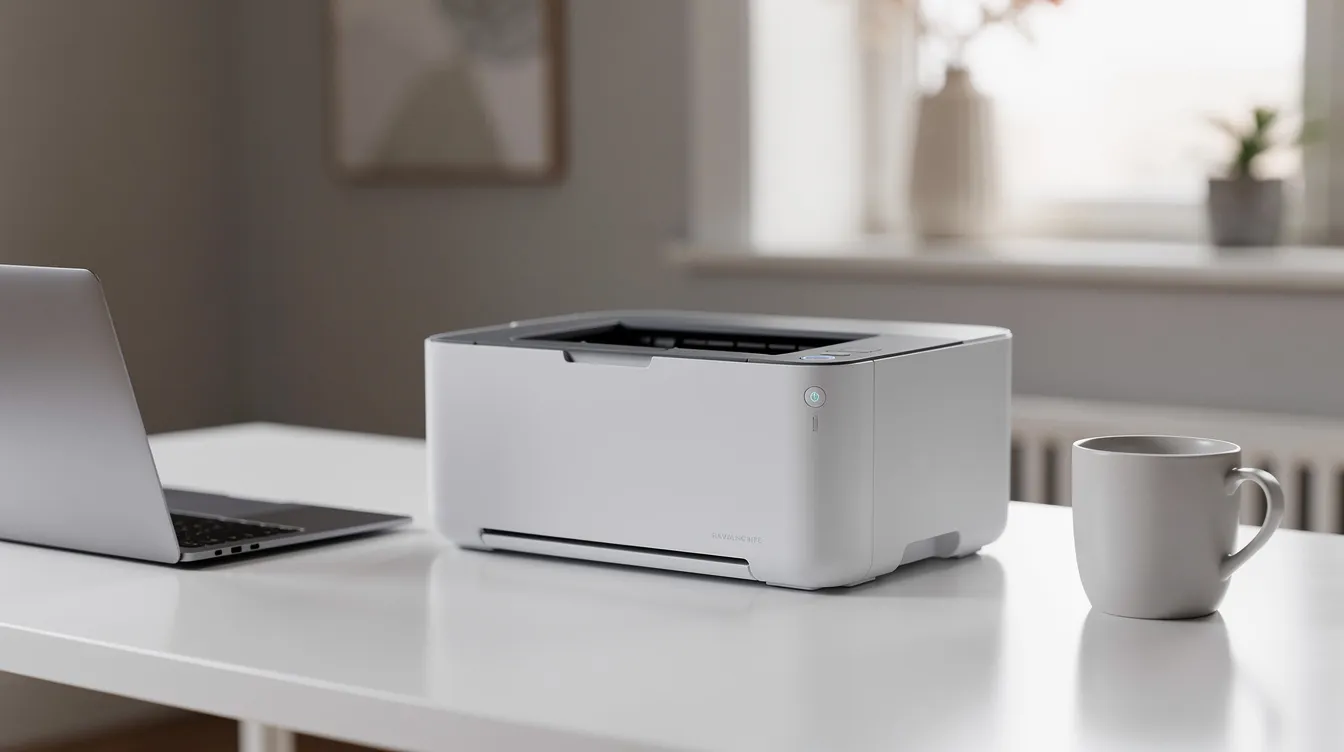
How Do Xerox B and C Series Fit Home and Small Office Needs?
The B Series covers monochrome laser workhorses built for text-heavy daily office tasks-contracts, invoices, HR forms. The C Series handles color printing for teams that need presentations, marketing materials, and color documents. Both series are well suited to a small business, while still fitting small footprints and supporting up to about five users comfortably.
Xerox organizes its printer lineup for smaller spaces with enterprise-level security, meaning even entry-level models include features like user authentication and encrypted connections. Xerox printers are tailored for small footprints and improving equipment reliability, so you won’t outgrow them in the first year.
Here’s a quick breakdown of which family to choose:
- B230 / B235 / B310: Black and white laser printers and all in one printer options. Best for text-heavy workloads-legal offices, accounting firms, solo remote workers who print documents daily.
- C230 / C235: Color printers and all in one printers. Best for small teams needing marketing materials, color-coded reports, or proposals with graphics.
- VersaLink B400/B405: Heavier-duty monochrome for offices printing 2,000–12,000 pages per month.
- VersaLink C400/C405: Enterprise-grade color for frequent color vs black and white mixed workloads.
Which Xerox Laser Printers Are Best for Low-Cost Monochrome Printing?
For most home offices, the Xerox B235 and B310 deliver the best balance of low hardware cost and low cost per page. For higher-volume small offices, the VersaLink B400/B405 is the better investment because its extra-high-yield toner drives per-page cost below 1.5 cents.
Here’s how the top monochrome picks break down:
- Xerox B235: Prints at 36 ppm, recommended monthly volume of about 2,500 pages. High-capacity toner (3,000 pages) costs around $108, putting monochrome cost per page at roughly 3.6 cents. Includes an automatic document feeder, an automatic feeder for multi-page scanning, print copy scan fax, and automatic two sided printing. Best for a solo remote professional or a 2–3 person office.
- Xerox B310: Faster at 42 ppm with a recommended monthly volume up to 6,000 pages and a high monthly duty cycle of 80,000 pages. Standard toner yields about 2,500 pages. Paper handling supports 350 sheets standard with an optional 550-sheet tray. Best for a small office with consistent monochrome volume that prints quickly.
- VersaLink B400/B405: The heavy hitter. Extra-high-yield toner cartridges can produce up to 24,600 pages, pushing cost per page to roughly 1.0–1.5 cents. Duty cycle reaches 150,000 pages per month. Best for offices with 5–15 employees productive in document-heavy roles.
Automatic duplex printing gives you practical double sided printing to save paper in everyday office use.
High-capacity toner cartridges reduce supply interruptions, which matters when multiple employees depend on the same device. Clear Choice Technical Services can lease these devices with maintenance contracts and managed print services to lock in predictable monthly costs, supporting customers across many U.S. locations and service areas.
Best Xerox Color Printers for Small Teams and Home Offices
The Xerox C230 is a solid color printer for occasional color use. The Xerox C235 adds all in one capabilities with print copy scan. For heavier color workloads, the VersaLink C400/C405 keeps per-page costs manageable with extra-high-yield toner.
Color matters when you’re producing proposals, presentations, marketing flyers, or color-coded financial reports, especially when better color models are needed for high print quality in polished client-facing materials. Here’s what each model brings:
- Xerox C230: Prints at 24 ppm (color and mono). Recommended monthly volume around 1,500 pages. Standard capacity of 251 sheets. Compact footprint that fits easily on a desk or shelf. Best for a home office or solo professional who needs occasional color printing.
- Xerox C235: All in one color laser with print, copy, scan, and fax. TechRadar tested it at about 3 cents for black and 12 cents for color-roughly average for its class. Includes a flatbed scanner and single pass duplex scanning. Best for a 3–5 person creative team.
- VersaLink C400/C405: Extra-high-yield black toner (~10,500 pages) costs about $120, yielding roughly 1.1 cents per black page. Each color XHY cartridge (~8,000 pages) runs about 1.8 cents per color channel, with full CMYK color printing at roughly 6.5–7.5 cents per page. Best for offices printing large quantities of color documents regularly.
All C-Series devices support mobile printing, Wi-Fi, and automatic duplex printing to save paper. Many remote office printers feature duplex printing to save paper, and Xerox builds this in as standard across the lineup.
Xerox Monochrome vs Color Printers for Small Offices: Which Should You Choose?
Choosing a Xerox printer depends on monochrome or color printing needs and monthly print volumes. Monochrome laser printers have a lower cost per page-often under 4 cents-and are the right choice for text-heavy workflows. Color printers add flexibility but increase running costs, sometimes dramatically.
Here’s when to stay black and white:
- More than 90% of your output is text: contracts, invoices, policy documents, legal filings
- You’re a solo professional or a small accounting, legal, or HR team
- You want the absolute lowest operating costs for sharp looking documents
Here’s when to invest in color:
- Your team produces client-facing proposals, presentations, or marketing materials
- You need color-coded reports, charts, or branded documents
- Multiple employees need to print directly from their devices in color
Many home offices start with a monochrome all in one and add a shared color device later as printing needs grow. A B235 paired with a C230 covers both bases at a reasonable total cost. For one-device simplicity, the C235 handles both black and white and color in a single multifunction printer.
How to Calculate Cost Per Page (CPP) for a Xerox Laser Printer
Cost per page is the single most important number for comparing printers. The formula is straightforward:
CPP = Cartridge Price ÷ Page Yield (at 5% coverage)
“5% coverage” means about 5% of each page is covered in toner-typical for a standard business letter with text and a small logo.
Example 1 (Mono): The Xerox B235 high-capacity toner costs about $108 and yields roughly 3,000 pages. That’s $108 ÷ 3,000 = 3.6 cents per page. For a deeper dive, see our guide on calculating cost per page of your copier/printer.
Example 2 (Color): The VersaLink C405 extra-high-yield black toner costs about $120 for 10,500 pages = 1.1 cents per black page. Each color XHY cartridge at ~$145 for 8,000 pages = 1.8 cents per color channel.
High-yield cartridges can reduce printing costs to 1.5 cents per page on monochrome models. Super-high-yield cartridges can print up to 5,000 pages, and extra-high-yield options go even further. Standard cartridges cost 30–50% more per page than their high-yield counterparts, so always step up to HY or XHY toner when available.
Don’t forget to factor in drum units, waste toner boxes, and maintenance kits. These add fractional costs per page that are easy to overlook. Managed print plans from a provider like Clear Choice Technical Services can wrap all of these into a single predictable rate.
All-in-One vs Single-Function Xerox Printers: What Works Best at Home?
Most home offices and small offices get more value from an all in one printer than a print-only device. All-in-one printers integrate multiple functionalities into a single device, covering the print copy scan fax workflow that small businesses rely on daily.
Multifunction printers can print, copy, scan, and fax. Printers should support printing, copying, scanning, and faxing for maximum versatility in a small office. Many multifunction printers feature automatic document feeders for efficiency, which speeds up batch scanning of invoices, contracts, or receipts.
Here are the common scenarios where an all in one wins:
- A solo remote worker who needs to sign, scan, and return contracts
- A small accounting office scanning receipts and archiving financial records
- An HR team digitizing employee forms and producing hard copy documents
Some remote office printers have multifunction capabilities for various tasks, and the Xerox B235 and C235 both deliver this. Multifunction printers can reduce office equipment costs by combining functions that would otherwise require separate devices. Some multifunction printers support duplex printing to save paper, and multifunction printers can connect via Wi-Fi for mobile printing-both true of the Xerox MFP lineup.
A single-function printer like the B310 or C230 makes sense when you already have a centralized scanner or MFP, or when budget and desk space are tight and you just need to produce hard copy documents quickly.
How Xerox Compares to Inkjet and Ink Tank Printers for Home and Small Office
Xerox laser printers have higher upfront cost than basic inkjet printers but deliver lower cost per page, more consistent print quality, and less downtime for text-heavy printing. They also require very little maintenance compared to inkjet alternatives that can suffer from dried print heads and clogged nozzles.
For context, here’s how some popular competitors stack up, including several Brother DCP and MFC series printer models that many small offices still rely on:
- The Brother MFC-T780DW prints for 0.003 cents per monochrome page using its ink tank system-extremely low, but it’s an inkjet with slower output for office documents.
- The Brother MFC-L3780CDW costs about 2.9 cents per black page and has a recommended duty cycle of 4,000 pages per month. It features a 3.5-inch color touchscreen for easy operation and is supported by a Brother laser printer service manual for detailed maintenance and repair.
- The Brother MFC-L8930CDW prints up to 34 pages per minute, competitive with Xerox’s fast print speeds, and shares architecture with models covered in an in-depth Brother DCP-L and MFC-L service manual.
- The Canon Color imageCLASS MF665Cdw prints up to 26 pages per minute, putting it in the same class as the Xerox C230 and reflecting the capabilities outlined in Canon imageRUNNER Advance service and parts manuals.
- The Brother MFC-J4355DW can print up to 16.5 pages per minute as an inkjet option, quite different internally from legacy copier platforms detailed in Gestetner, Lanier, Ricoh, and Savin service manuals.
Ink tank devices like the Epson EcoTank ET series use high yield ink bottles and refillable ink instead of inkjet cartridges, making them cost-effective for heavy color volume. But they typically print slower than a color laser and may need different maintenance over time, as seen with models like the HP LaserJet 3055 all-in-one printer where software and reliability issues can offset hardware savings.
For businesses that need high quality prints on black and white documents day after day, other laser printers and Xerox’s lineup consistently outperform inkjet printers on speed, reliability, and scan quality. Enterprise environments may instead lean on devices like HP Color LaserJet Enterprise and Managed series printers. If you’re weighing the tradeoffs, our breakdown of inkjet vs copier cost efficiency covers the full picture.
Network, Security, and Remote-Work Features That Matter
For most small offices, built-in Wi-Fi, ethernet connectivity, secure print, and cloud/mobile printing support are must-haves. Remote office printers offer built-in Wi-Fi capabilities as standard, and Xerox builds these into even entry-level B and C Series models.
Key features to look for:
- Wi-Fi Direct and built-in Wi-Fi: Let employees print directly from laptops, phones, and tablets without routing through a server
- AirPrint and Mopria: Native mobile printing from iOS and Android devices
- User authentication: Restrict access to sensitive documents and sensitive material
- Automatic firmware updates: Keep security features current without manual intervention
- USB flash drive support: Print from or scan to a USB flash drive when needed
Remote office printers are designed for easy setup and maintenance. Xerox models in this class include wi fi capabilities out of the box, along with Ethernet for wired networks. For large-format and specialty environments, technicians often reference HP DesignJet service and parts manuals to keep plotters running reliably. Clear Choice Technical Services can provide remote IT support, desktop management, and cable/network management to make sure your printer integrates smoothly into your existing setup.
Leasing vs Buying a Xerox Printer for a Small Office
Leasing makes more sense than buying when your monthly volume is high, you want predictable costs, and you’d rather not handle maintenance yourself. Leasing printers reduces upfront costs for businesses, turning a large capital expense into a manageable monthly payment.
Here’s what leasing through a provider like Clear Choice Technical Services typically includes:
- Included maintenance: Leased printers often include maintenance and support services, covering onsite printer and copier repair when something breaks.
- Regular upgrades: Leasing allows businesses to upgrade equipment regularly, so you’re not stuck with outdated office equipment.
- Lower total cost: Leasing can lower overall printing costs for businesses by bundling toner, parts, and service into one rate.
For short-term needs-temporary offices, seasonal projects, trade shows-rental agreements provide flexibility for short-term projects. A copier rental vs copier leasing comparison can help you decide which fits.
One caution on lease terms: many copier lease agreements auto-renew, and early termination fees can be steep. Before signing, verify the end-of-lease terms, renewal notice windows, and what happens to the equipment when the contract ends. To understand how the copier lease works, review the full agreement with your provider.
How Managed Print Services Lower Costs for Home and Small Offices
Managed print services (MPS) is an arrangement where a third party monitors and manages your printers, supplies, and service for a per-page or flat monthly fee. It’s not just for big corporations-growing small businesses benefit too.
Here’s how MPS reduces total cost of ownership:
- Right-sizing devices: An MPS provider evaluates whether you need a monochrome laser, a color printer, or both, and matches devices to actual volume
- Optimizing mono vs color usage: Setting white printers as the default and routing color jobs to a dedicated device cuts unnecessary color toner use
- Consolidating supplies: Toner cartridges, drum units, and third party cartridges (when appropriate) are managed centrally, so you never run out or overstock
- Less downtime: Proactive managed print services and preventive maintenance keep employees productive and printers running
Clear Choice Technical Services provides managed print, remote IT support, printer repair, and proactive maintenance for growing small businesses. The result: predictable monthly spend, data on your print usage for smarter decisions, and one fewer thing on your to-do list.
Real-World Example: Matching a Xerox Printer to Three Common Home/Small Office Scenarios
Scenario 1: Solo Remote Professional You print about 500–1,000 pages per month-mostly contracts, emails, and the occasional color report. The Xerox B235 handles your black and white documents and lets you scan signed contracts back to clients. Hardware runs under $300, and toner costs stay around 3.6 cents per page. A purchase makes sense at this volume, though Clear Choice Technical Services can bundle a service contract plan if you want covered repairs.
Scenario 2: 3–5 Person Creative Team Your team prints proposals, client presentations, and marketing drafts in color. Monthly volume: 2,000–4,000 pages, mixed mono and color. The Xerox C235 covers print copy scan in color with automatic duplex and duplex scanning. For heavier color runs, stepping up to the VersaLink C400 keeps color printing costs closer to 6.5–7.5 cents per page instead of 40+ cents.
Scenario 3: 10–15 Person Small Office (Heavy Monochrome) A legal or financial services office printing 6,000+ pages per month. The VersaLink B405 is the right printer here-fast print speeds, high-yield toner at roughly 1.0–1.5 cents per page, and a duty cycle that handles spikes without breaking a sweat. Add a C400 for occasional color documents. Clear Choice Technical Services would likely recommend a lease with managed print and remote IT support for this setup.
How to Choose the Best Xerox Printer for Your Home or Small Office
The best Xerox printers for home and small office use come down to volume and color. Choose the B230 for light home printing, the B310 for the lowest cost per page in a busy office, and the C325 when your team needs color, scanning, and copying in one device.
Not sure whether a desktop Xerox printer or a copier lease is the better fit? Clear Choice Technical Services makes the choice simple. We look at how many pages you print and how much of it is color, then recommend the option with the lowest real cost per page. That might be a Xerox B310 you own outright, or a copier lease in Charlotte with clear terms and fair pricing, so there are no hidden fees later. Whether your office is in Pineville or near the Pressley Road business corridor, we’ll match you with a printer or plan that fits your volume and your budget.
Call us now: (704) 266-3866


